Account Menu
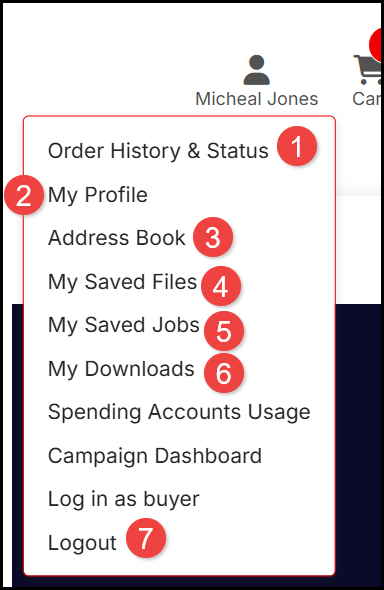
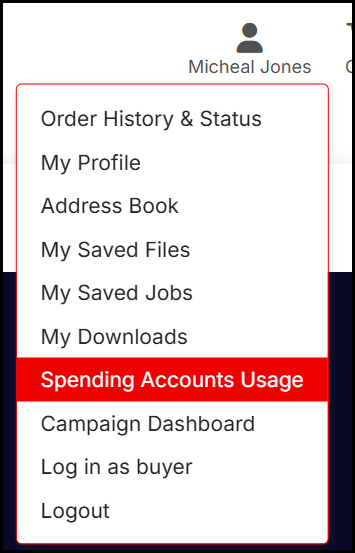
When you Login, you have access to your Account Menu. The options available vary depending on the store though you may have access to:
- Order History & Status to view the status of current and previous purchases.
- My Profile to view and update your account credentials and delivery information.
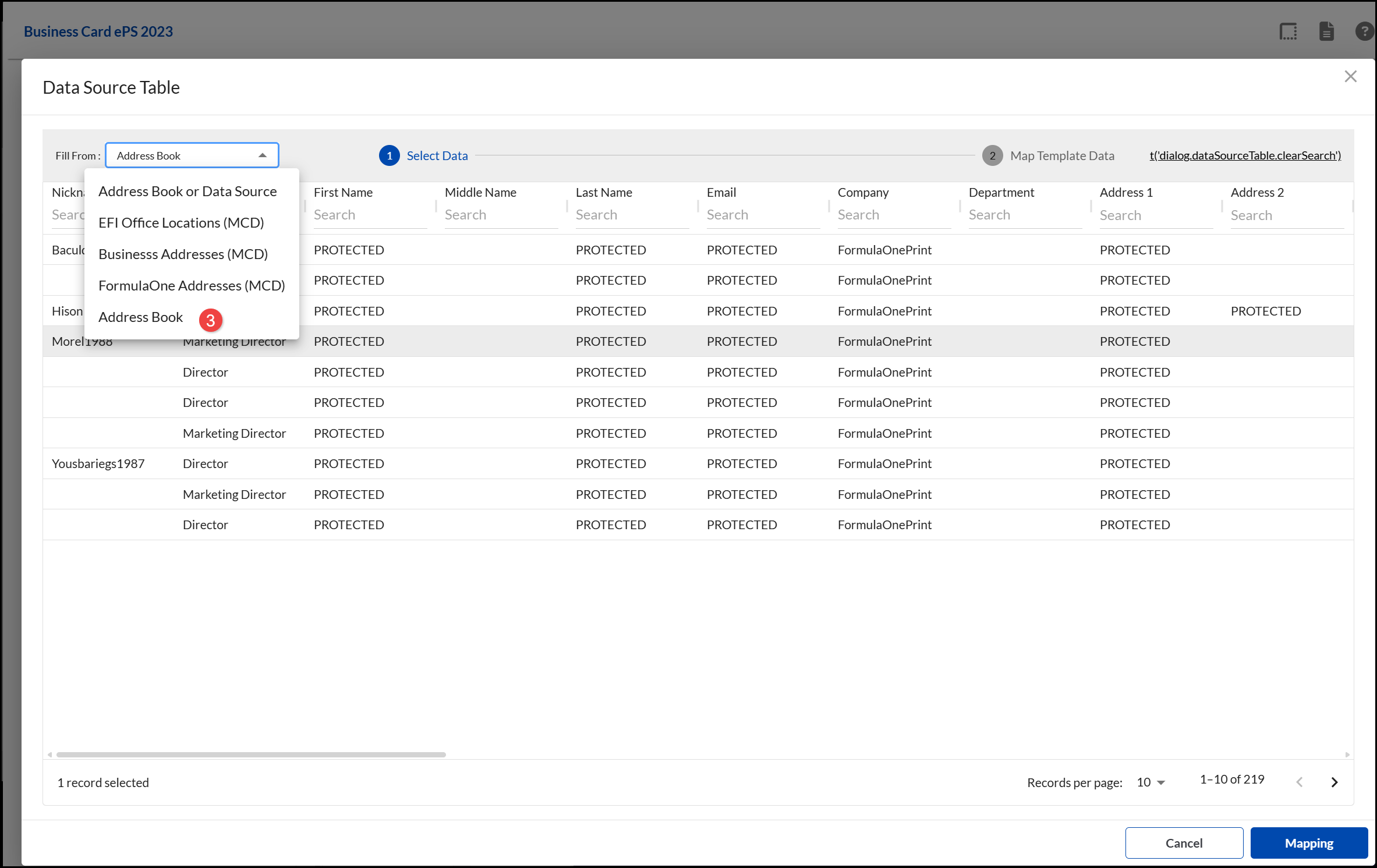
- Address Book to view Store contacts. These contacts are available to select as to populate SmartCanvas products by selecting Address Book:
- My Saved Files where you can Add and View and your files and Purchased Contact Lists.
- My Saved Jobs where you can Edit, Duplicate and Delete any saved products.
- My Downloads where you can download products (you must have permission on the product for digital download).
- Logout of your Account.
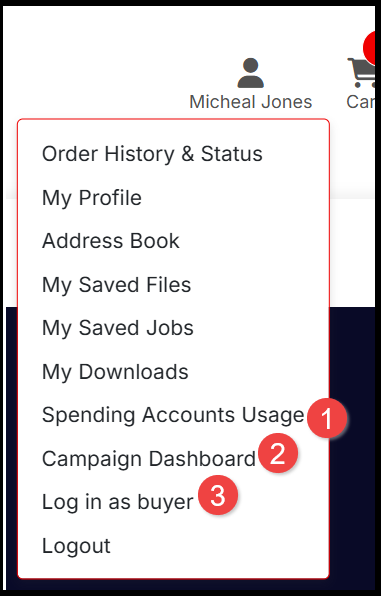
Additional options for Business Accounts may include:
- If you are an Administrator for your organization's Account, you may be able to view the Spending Accounts Usage for your organization's authorized spend.
- View the Campaign Dashboard for any purchased Marketing Campaigns.
- If you are an Administrator for your organization's Account, you may have the option to Log in as a buyer.
Order History & Status
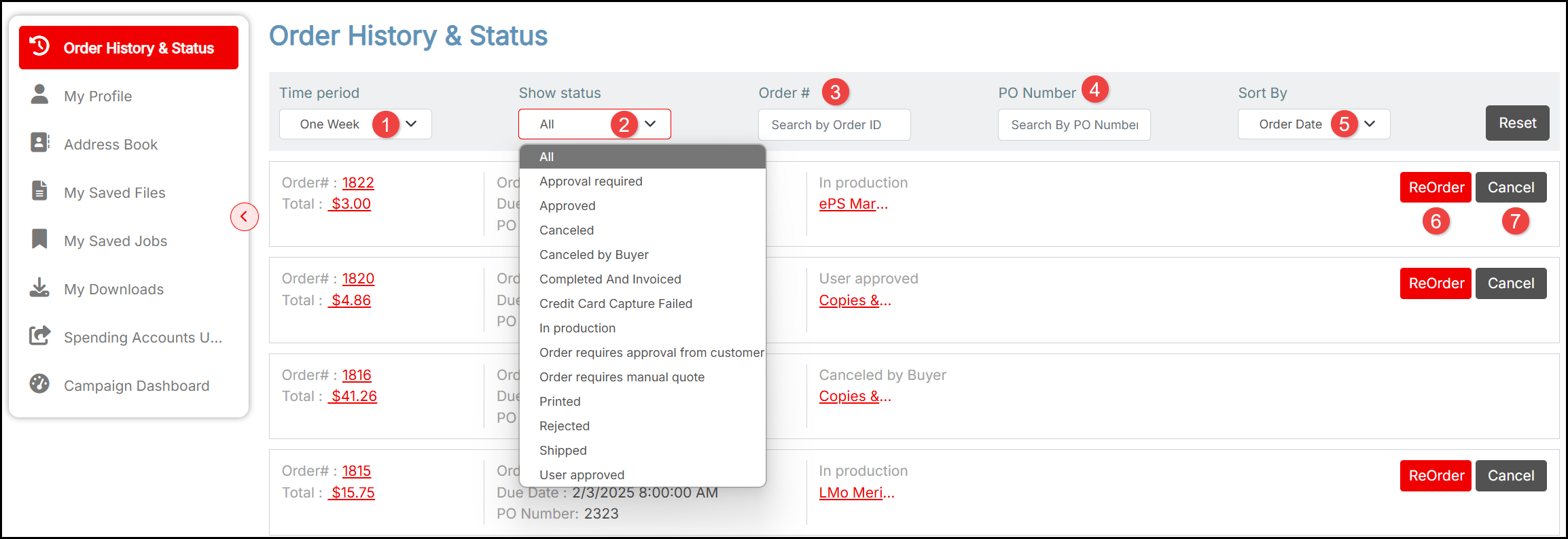
The Order History & Status enables you to track your orders. Options may include:
- Filter by Time period to view orders placed in the last, for example, One Week or Six Months.
- Filter by Show status to view, for example, whether an order is In production, awaiting Approval or Quote, Rejected for a particular reason, Cancelled or Shipped.
- Filter by all or part of an Order Number.
- Filter by all or part of a Purchase Order Number.
- Sort By, for example, Order Date, Cost or Status.
- ReOrder a product.
- Cancel an order (if it is not yet in production or you may incur a charge).
About the Approval Process
In some circumstances a purchase may have to go through an approval process for the order to be accepted.
- An order may require approval because of its price, for example, if it is above a certain amount. Sometimes if you remove an expensive item from the cart you can avoid going through the approval process for the less expensive items. Product approvals are not only tied to price.
- Some orders may require approval if you enter a particular cost center or accounting code as your payment method.
- Particular products may also require approval. For example, a corporate reports may require scrutiny and approval to ensure their contents are correct; other products may have limited distribution so require approval when you order them.
When an order you place requires approval, the Order Confirmation page (the last step in the checkout process) shows the Status of the order as Approval required.
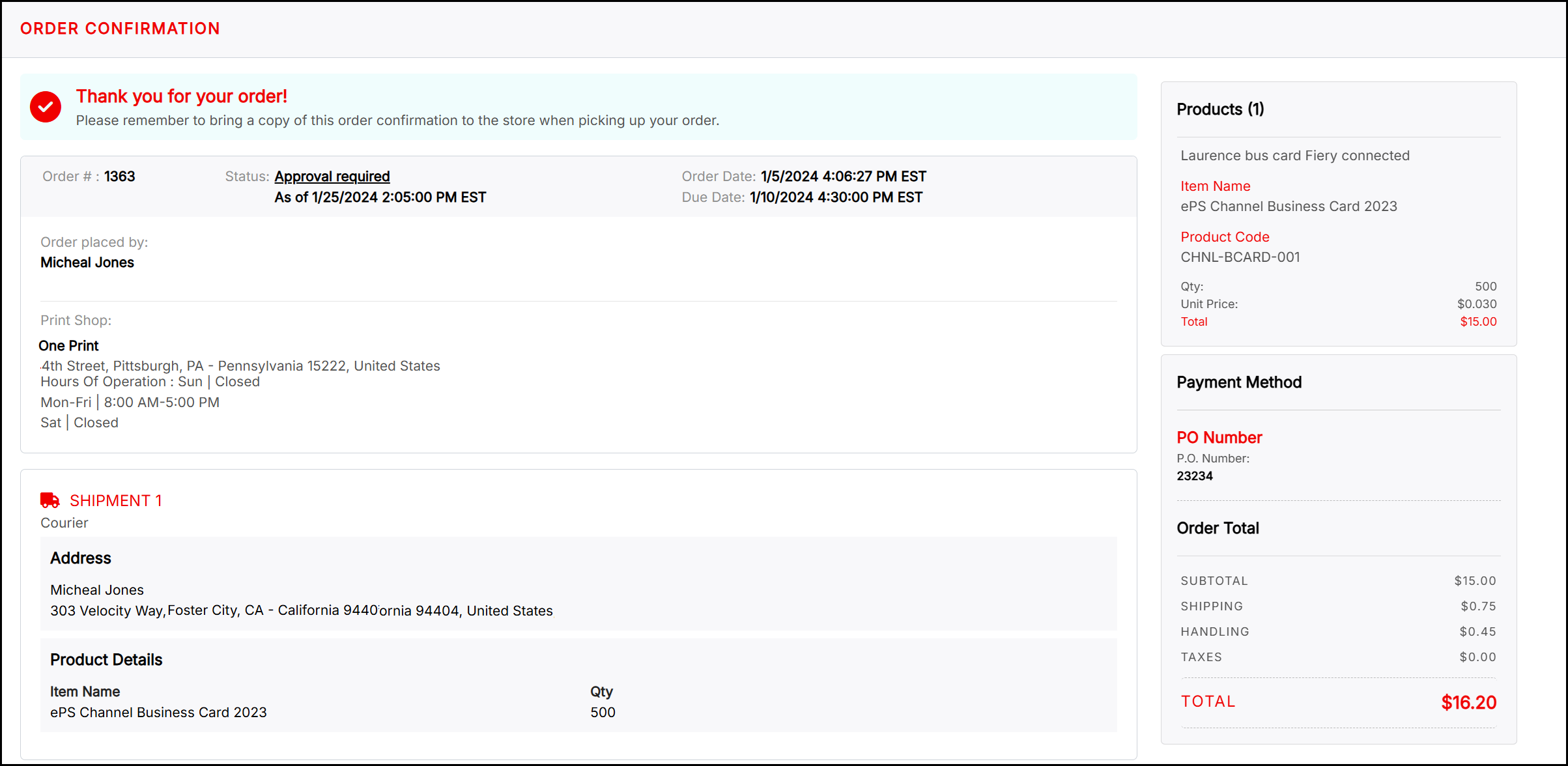
You can open this page by clicking an order number in your order history. You can click Approval required on the Order Confirmation page to open the Approval Detail window. This lets you see why the approval is required, how many levels of approval are required, and the status of the approvals. You may also have the option of contacting an approver by e-mail to follow up on the status of the approval. After your order goes through the approval process, you typically receive an e-mail informing you if your order was approved or declined. You can also view this by checking the Status of the order in the Order Confirmation:

Business Accounts
If you are a frequent customer or work for an organization who has a Business Account for a store, you may have a pre-approved spending budget. You can view details from your user menu (you must Login to access this).
If the approvers in your organization review the jobs that make up orders, an approver may make changes to a job before approving it so the final job may not be exactly what you ordered. For example, an approver might change the quantity or select different media for a job. In addition, when reviewing the jobs that make up an order, an approver may decline some jobs but approve others. When the result is a mixture of approved and declined jobs in an order, the approver can choose to decline the entire order or can remove declined jobs from the order and just leave the approved jobs in the order. Depending why an order or job was declined, you may want to place the order again to meet the approval requirements.